
A profile photo is often the first thing a recruiter sees on LinkedIn or Handshake, and for international students the rest of your online presence now matters for visas as well as jobs. This guide explains how to get a professional headshot cheaply (often free through your college), what to watch for with AI headshot apps, and how to keep your wider online footprint in good shape, using two campus programs, Virginia Tech’s Iris photo booth and NJIT’s Popcam kiosk, as examples.
Why a professional photo is worth the effort
Career centers routinely tell students to build a LinkedIn profile early. Asked whether students should have one, Becca Scott, director of professional development and experiential initiatives at Virginia Tech’s Career and Professional Development office, answered simply: “You should,” adding that the office can help students get started (Virginia Tech News, April 2025). A clear, recent headshot makes a profile look complete and helps recruiters you met at a career fair recognize you later. It does not need to be expensive: many colleges now provide headshots for free.
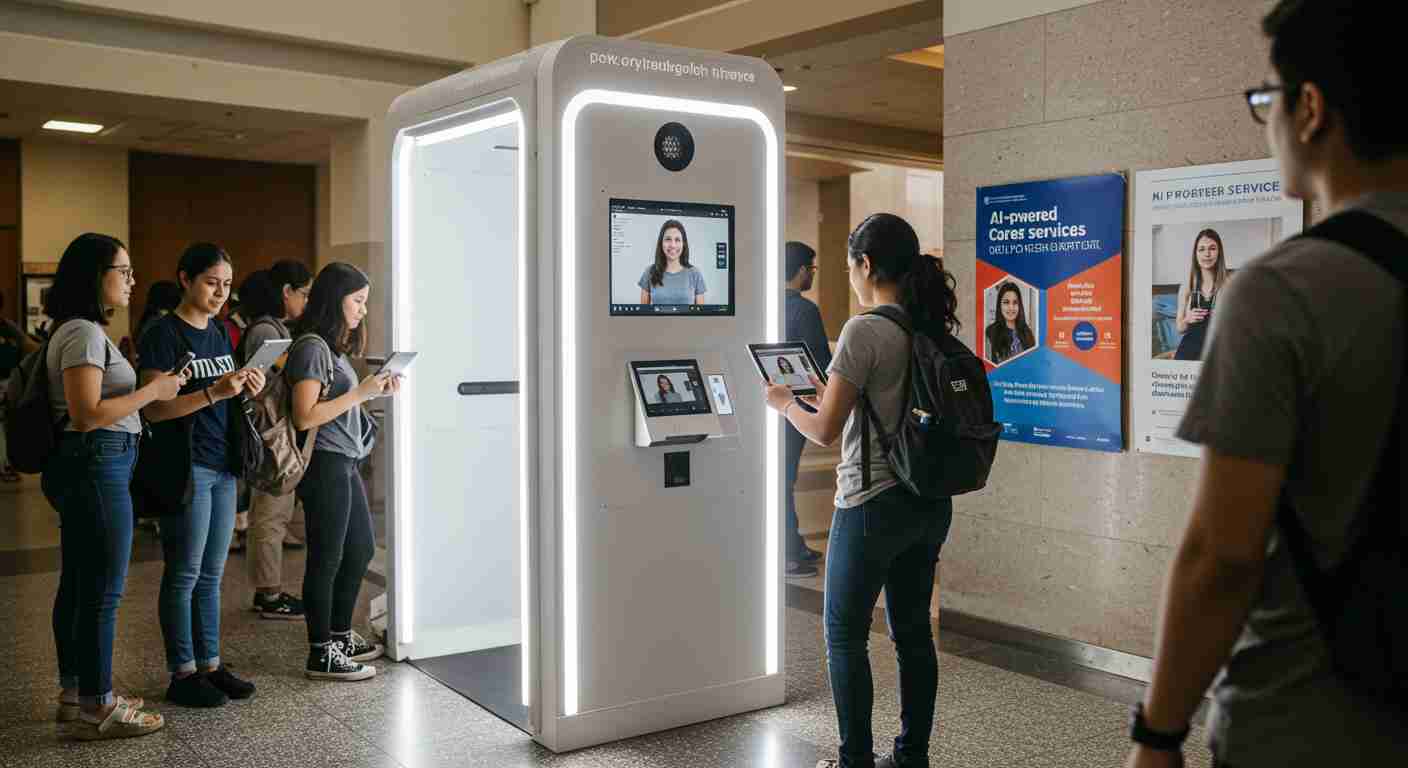
Free headshots on campus: two examples
Virginia Tech: the Iris photo booth
In spring 2025 Virginia Tech‘s Career and Professional Development office introduced Iris, a free, self-service professional photo booth for students in the Smith Career Center in Blacksburg. According to Virginia Tech News:
- Sessions are booked by appointment, 8 a.m. to 5 p.m., through Handshake or by phone.
- On-screen prompts guide you; in about 15 minutes the booth takes three rounds of photos with professional lighting.
- You can retake photos and make simple edits (skin smoothing, blemish removal, teeth whitening). The photos are then emailed to you, where you can touch them up further and change the background before uploading your favorite to LinkedIn.
- The booth is wheelchair accessible.
“Iris is intuitive, convenient, and easily accessible,” Scott said (Virginia Tech News).
NJIT: the Popcam kiosk
In February 2025 New Jersey Institute of Technology‘s Career Development Services (CDS) launched Popcam, a portable self-serve kiosk for students who need headshots for LinkedIn, Handshake and job, internship or co-op applications. Students take several photos in under a minute, choose their favorite, pick from more than 20 backgrounds and receive the final image online; retakes are free. NJIT first set the kiosk up at its resume day and spring career fair, with a by-appointment spot planned at the CDS office in Fenster Hall. Patrick Young, then interim executive director of CDS, said the office chose Popcam “based on the ease of use, high quality of the photos and the portability of the technology” (NJIT News, February 10, 2025).
How to find the option at your school
- Search your career center’s website and Handshake events for “headshot”. Many offices offer free headshots at career fairs, resume days or professional-development weeks, and some have a permanent booth like Iris.
- Book early before big career fairs, when slots fill up fastest.
- If your school has nothing scheduled, ask the career center: student organizations and departments sometimes run their own headshot days.
Taking a good headshot yourself
If no campus option fits your schedule, a recent phone camera can produce a perfectly good profile photo:
- Light: face a window in daylight; avoid harsh overhead light and strong backlight.
- Background: a plain wall or an uncluttered space.
- Framing: head and shoulders, camera at eye level, your face taking up most of the frame.
- Clothing: what you would wear to an interview in your field; solid colors usually photograph better than busy patterns.
- Expression: a natural, friendly look; take many shots and ask a friend which one looks most like you.
- Consistency: use the same photo on LinkedIn, Handshake and your professional email or portfolio so recruiters can connect the dots.
AI headshot apps: what to consider
AI headshot apps can turn a few selfies into studio-style portraits in minutes, and basic retouching is now built into many photo tools (Iris itself offers light edits). If you use one, keep a few points in mind:
- It still has to look like you. A recruiter or interviewer will compare the photo with the person who shows up on video or in person. Avoid images that change your face, age or build.
- Start from good photos. AI tools work best with sharp, well-lit source images; they cannot fully rescue blurry ones.
- Read the privacy policy. You are uploading biometric data. Check whether the app keeps your photos, uses them to train models, and how to delete them. Prefer well-known services with clear policies.
- Check the cost and subscription terms. Many apps are subscriptions that renew automatically; a free campus booth may do the job better.
Your wider online presence
Employers commonly look at candidates’ public profiles, and a profile photo is only one part of what they see. A quick review once a semester helps:
- Search your own name and check what appears on the first pages of results.
- Make sure your LinkedIn and Handshake profiles match your resume (dates, titles, degree and expected graduation).
- Review old public posts, photos and comments; remove anything you would not want an employer to read.
- Use a professional email address and a simple, recognizable username.
Extra points for international students
For international students, online presence now matters for visas too. Under State Department guidance issued on June 18, 2025, consular officers conduct a comprehensive review of F-1 and J-1 applicants’ publicly available online presence; applicants must list the social media profiles they have used in the past five years and are instructed to set their privacy settings to “public” (University of Washington ISS). The review was later extended to H-1B and H-4 applicants from December 15, 2025 (Fragomen) and to additional nonimmigrant categories in 2026 (Global Immigration Blog). Practical consequences:
- List every account the visa form asks about, accurately; omissions can cause problems later.
- Do not delete accounts in a panic right before an interview; inconsistencies between what you list and what officers find can raise more questions.
- Keep your LinkedIn, resume and visa application consistent (schools, dates, employers).
- Rules have been changing quickly; check your international student office and the U.S. embassy or consulate website before applying. Background: our report on the 2025 visa interview pause and social media requirement.
Quick checklist
- Get a free headshot from your career center (or take one in good daylight).
- Complete your LinkedIn and Handshake profiles with the same photo and consistent details.
- If you use an AI app, keep the result realistic and check its privacy terms.
- Review your public social media each semester.
- International students: follow current visa vetting rules and your school’s international office.
- Use the career center for the rest: resume reviews, LinkedIn help and career fair preparation; see also how to evaluate and use your college’s career center.
References
- Virginia Tech News: When you need a professional profile photo, turn to Iris (April 2025)
- NJIT News: NJIT Students Can Now Get Professional Headshots via Self-Serve Kiosk (February 10, 2025)
- University of Washington ISS: Screening and vetting for visa applicants
- Fragomen: State Department expands online presence review to H-1B and H-4 applicants
- Global Immigration Blog: online presence review for additional nonimmigrant visas (March 2026)